Plan
Plan meals as a household
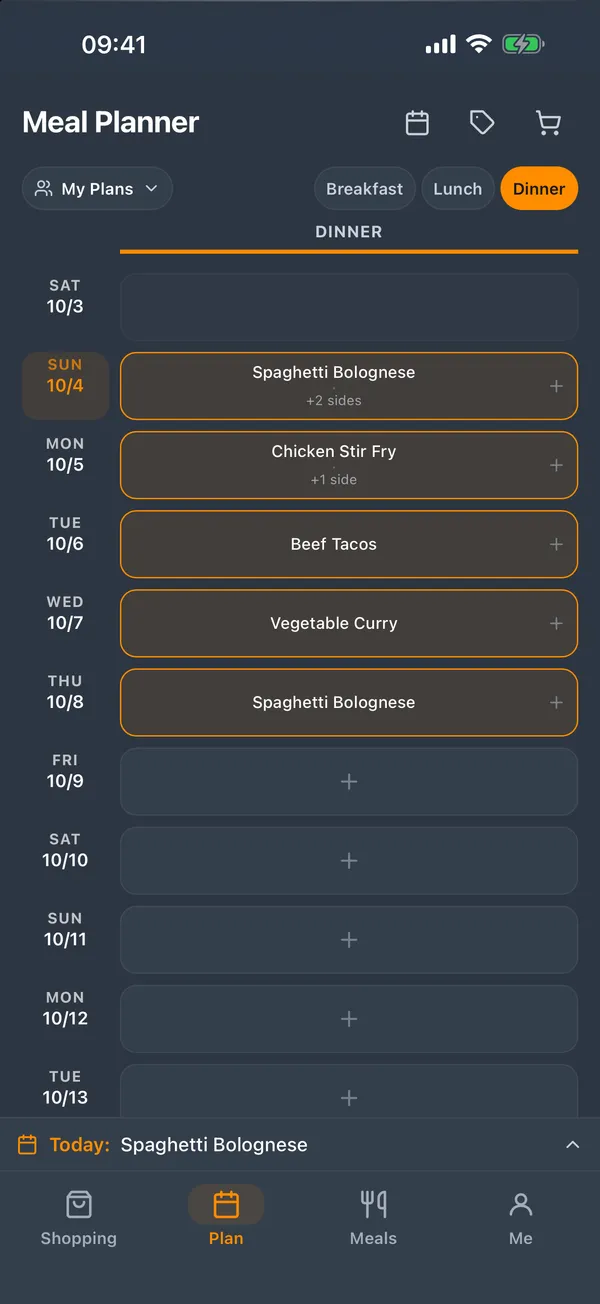
A shared calendar your whole household edits together, synced in real time. Day tags mark recurring patterns — Meatless Mondays, Takeout Fridays — and per-day notes keep everyone on the same page.
Plan the week's meals, keep every recipe in one place, and share a live shopping list with your household. Works offline, on Android now, with iPhone and iPad coming soon.
Free to start. Try Demo mode with sample data, no account needed.
Plan
A shared calendar your whole household edits together, synced in real time. Day tags mark recurring patterns — Meatless Mondays, Takeout Fridays — and per-day notes keep everyone on the same page.
Shop
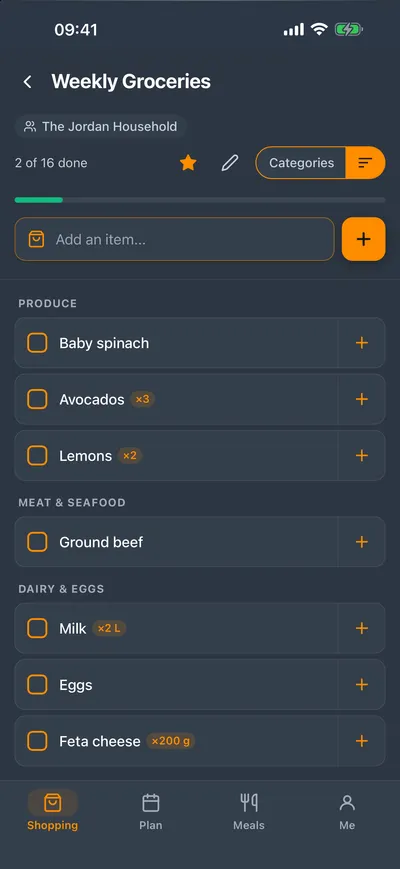
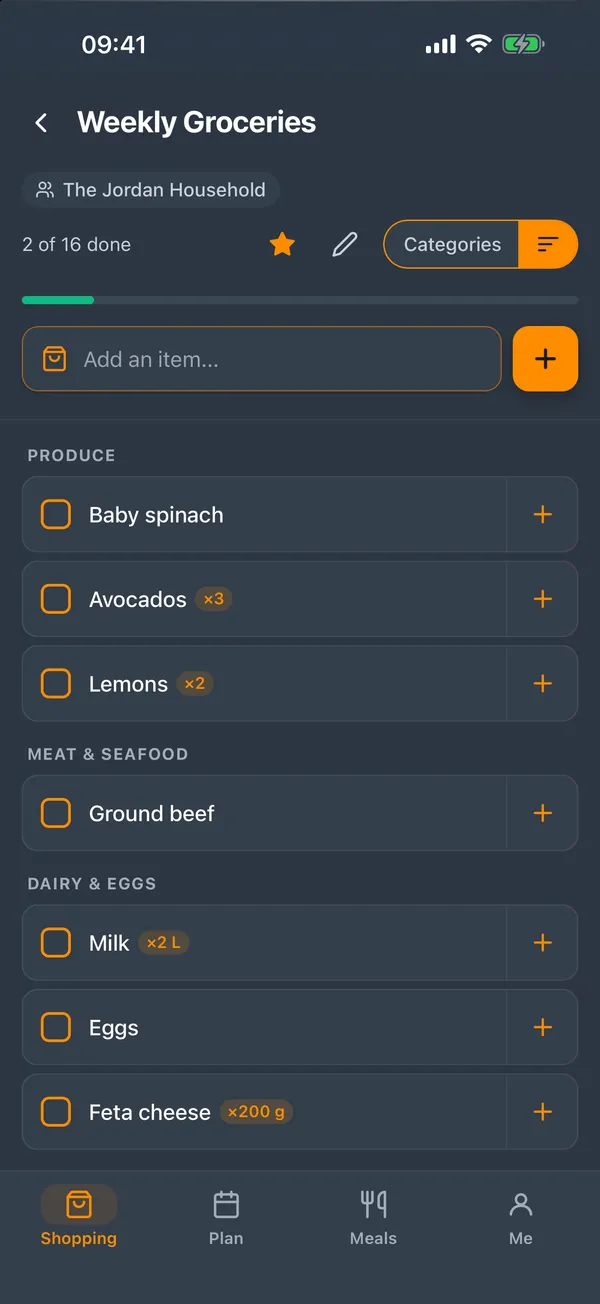
Add a whole week of meals to a list in one tap. Duplicate ingredients are combined, items sort by store section with smart category suggestions, and everyone checks things off live while shopping.
Cook
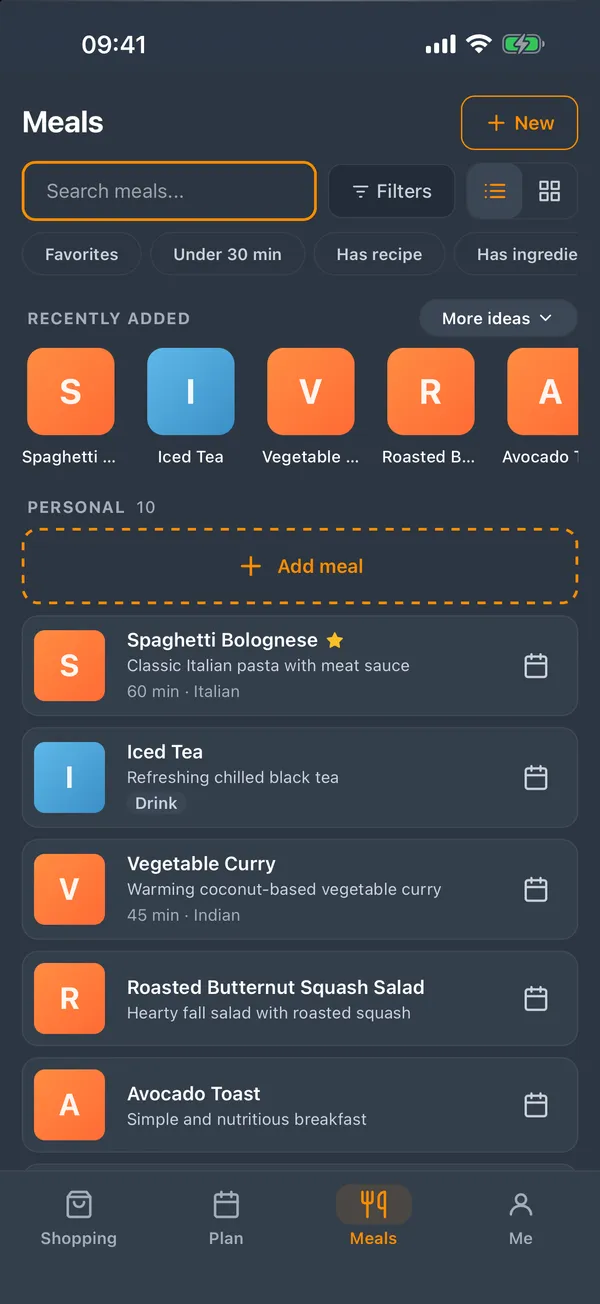
Build a library with ingredients, steps, prep and cook times, and photos. Quick-create a meal on the fly and fill in the details later, then tag and favorite for fast retrieval.
Import
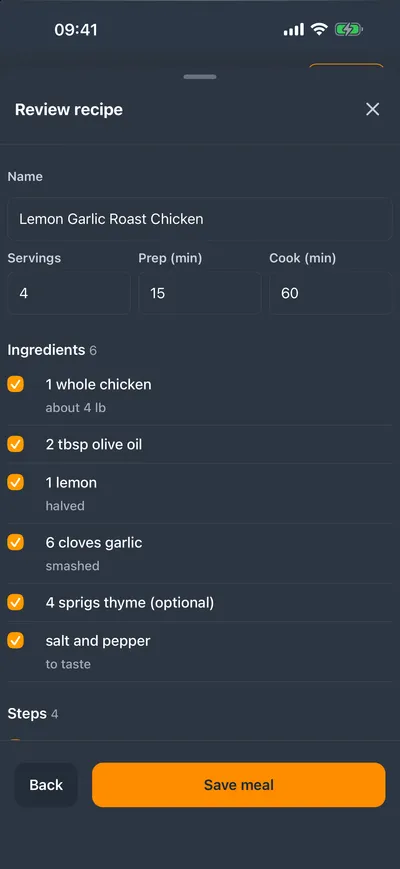
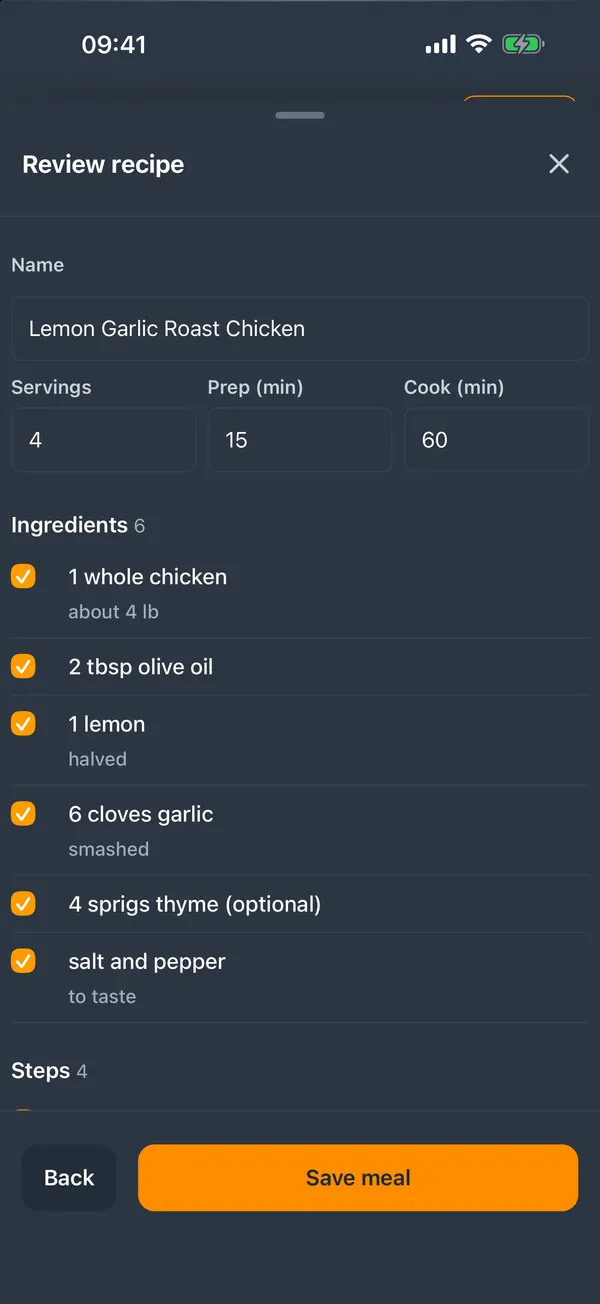
Import a recipe from a link or pasted text, review the draft, then save it — or use Share to mealQ from any app. Most pages import instantly, and an optional AI step reads the rest.
Together
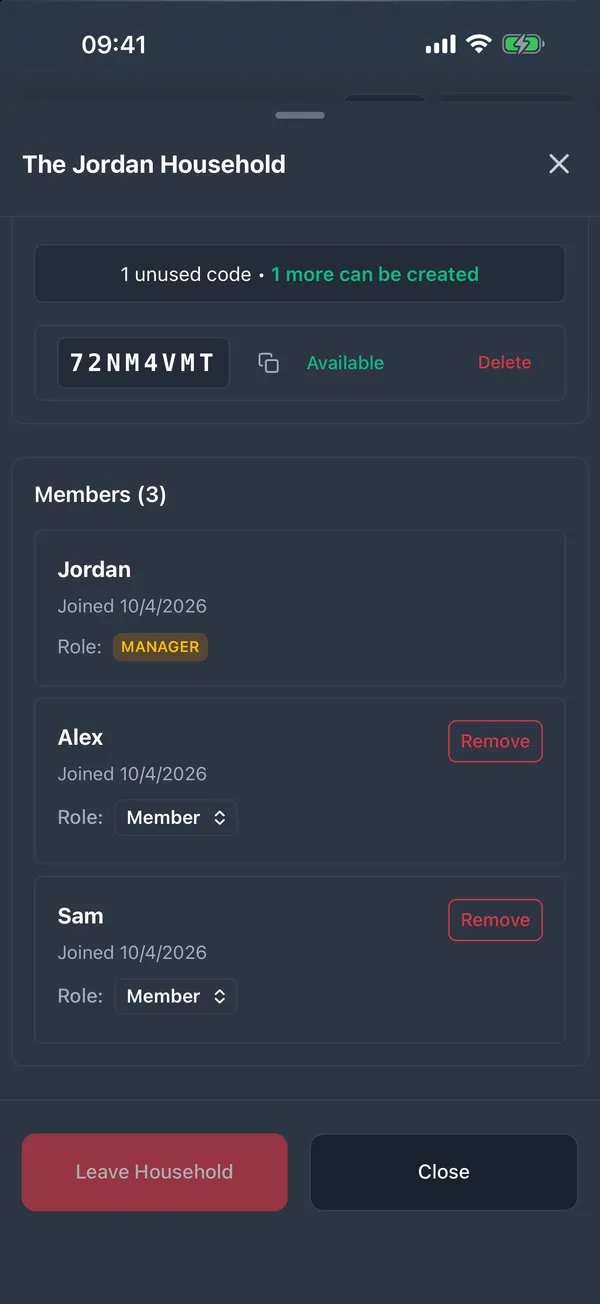
Invite members with a shareable code and assign manager or member roles. Switch between your personal view and any household you belong to, with no separate accounts.
And everything else
Your data is always cached — browse, plan, and edit even without a signal. Changes sync automatically when you reconnect, so a spotty connection in the grocery store never loses work.
Get notified when a household member updates a shared list. Smart batching groups changes into a single alert instead of a flood of pings, with a configurable throttle.
A native Android app — not a slow web wrapper — with offline storage that persists across sessions. iPhone and iPad apps are coming soon.
Free for solo use. Pro unlocks households, multiple shopping lists, and recipe importing. Try Demo mode with sample data, no account needed.
Create read-only access tokens so a family dashboard or other tool can show your household's meal plan. Choose which meal types and notes are visible, set an expiry, and revoke any time.
Your data is encrypted in transit and stored on Cloudflare's infrastructure. No ads, no selling your data, and the few optional AI features are clearly explained and under your control.
Plans
Plan your own meals
New accounts start with a 30-day Pro trial
Plan together
Household sizes of 2 members, 5 members, or unlimited.
Pricing is shown in the app before you subscribe.
FAQ
An account is required to sync your data across devices and collaborate with household members. If you just want a look around, Demo mode uses sample data on your device with no account.
Only in two optional places. When you add a shopping item, MealQ can suggest a store section for it (the item name and your category names go to TypeSafe AI). And when you import a recipe from a page with no structured data, an AI model on Cloudflare reads the text to extract it, and you review the draft before saving. Both can be managed in Settings, they depend on your plan, and a failed AI step never costs you anything. MealQ no longer offers AI meal suggestions.
Start a new meal and choose Import a recipe, paste a link or the recipe text, review the draft, and save it. You can also use Share to mealQ from your browser or another app.
MealQ collects: - Account information (email, display name) - Meals, meal plans, and shopping lists you create, plus links or text you import recipes from - Household membership and relationships - Feature usage events, linked to your account, used only to improve MealQ We do NOT sell your data, use it for advertising, or track you across other apps.
Yes. Email mealq.support@plantolive.app and we will send you a copy of your data in a portable format.
Your data remains in the cloud and is accessible if you reinstall the app and log in. To permanently delete your data, you must request account deletion.
Add your meals, tap once to build the shopping list, and let everyone at home see it live.
Get mealQ on Google PlayiPhone and iPad apps coming soon.